Knowledge of data stays where it was made
The warehouse team knows the warehouse, the BI team knows the reports, and Finance knows its spreadsheets. Everyone else finds out what exists by knowing the right person to ask, or never finds out at all. Linora puts all of it on one map the whole organisation can see.
“Do we already have this data somewhere?”
Anyone can search every table, report and job the organisation has catalogued, in whatever system it lives, with an owner and a description beside each one.
“Where does this number come from?”
Lineage across platforms: from a report back to the source system it started in, and forward to everything that depends on a table before anyone changes it.
“Who do I ask for access?”
An owner and a backup on every asset, so the way in is a name on the page rather than a chain of emails.
Find it
One search across everything the organisation has catalogued, from warehouse tables to a department's spreadsheets. It forgives typos, narrows by Kind, Tag, Source or Owner, and says what each result is and where it lives.
Search the demo for orders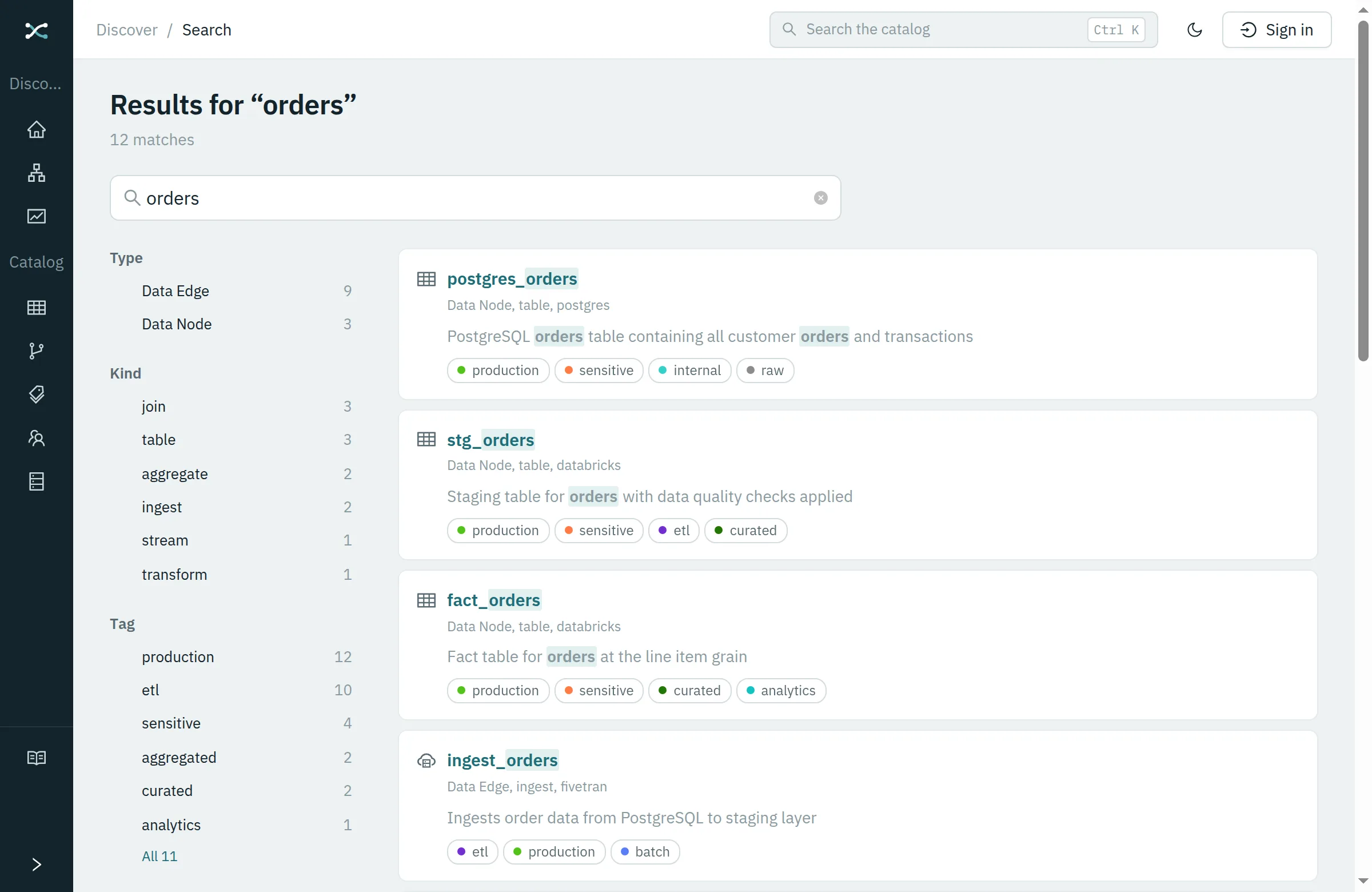
Understand it
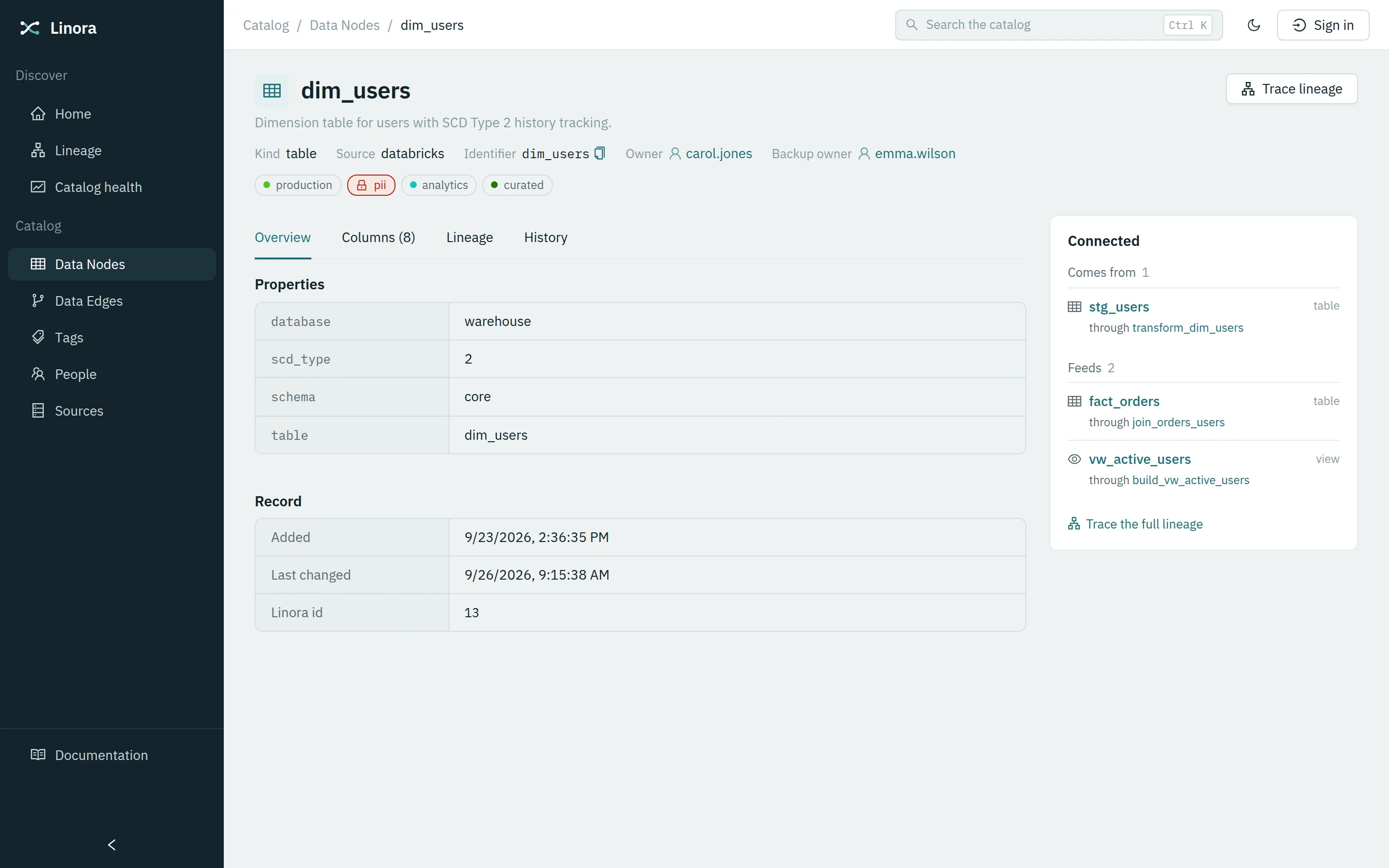
An asset's page answers what it is and what it is connected to, side by side: its Kind, Source and identifier, its owner, the columns a crawl found, what feeds it and what it feeds, and who changed it last.
Open dim_users in the demo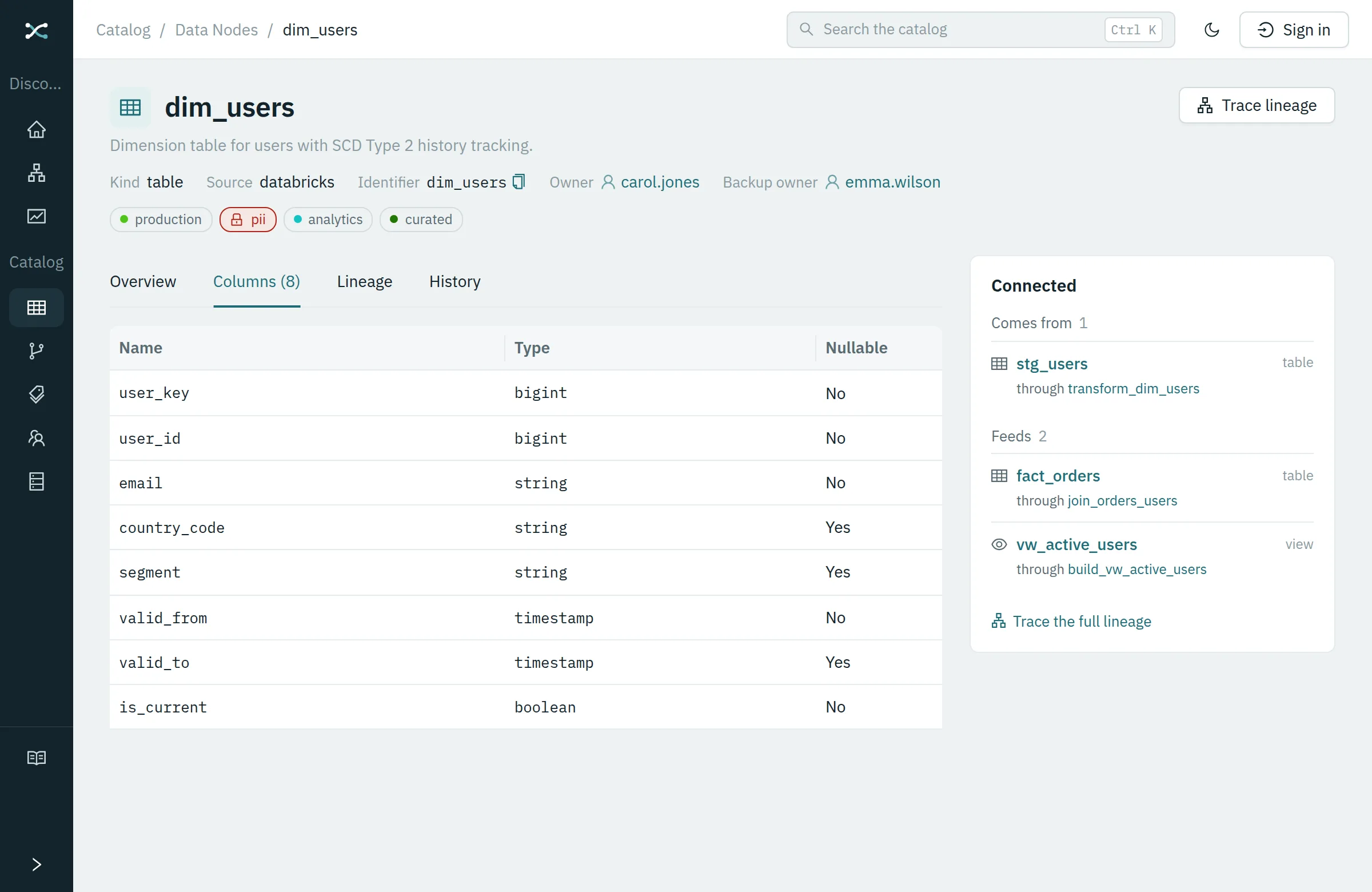
Trace it
Follow a number from a report back through every system it passed through to where it started, or forward to everything that depends on a table. The chain crosses platforms and departments; click any step to see it without losing your place.
Trace the revenue dashboard in the demo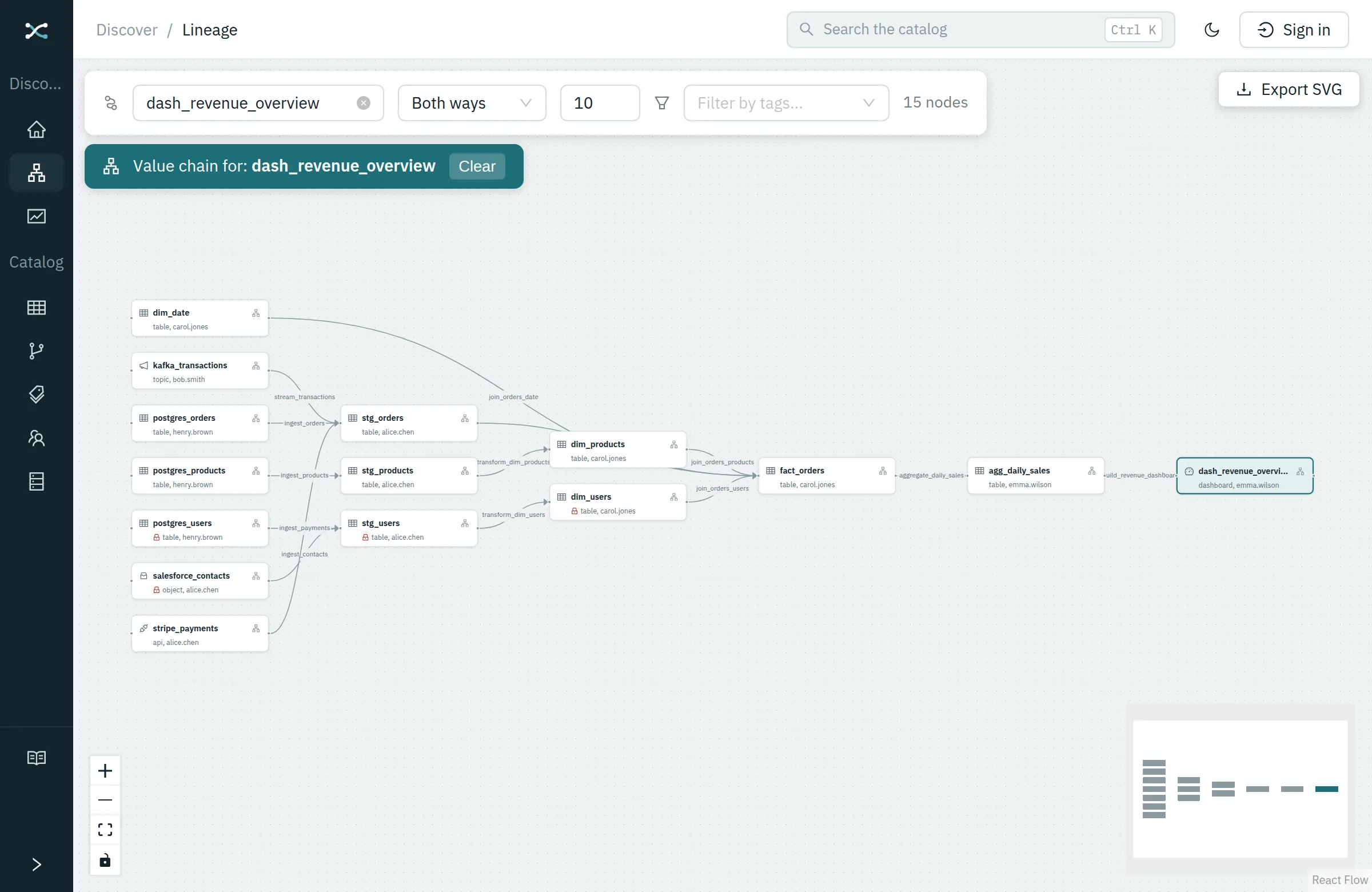
Know who to ask
Every asset has an owner and a backup, and every person has a page listing what they look after. The answer to “who do I ask about this, or for access to it?” is on the page, not in one person's head.
See what Carol owns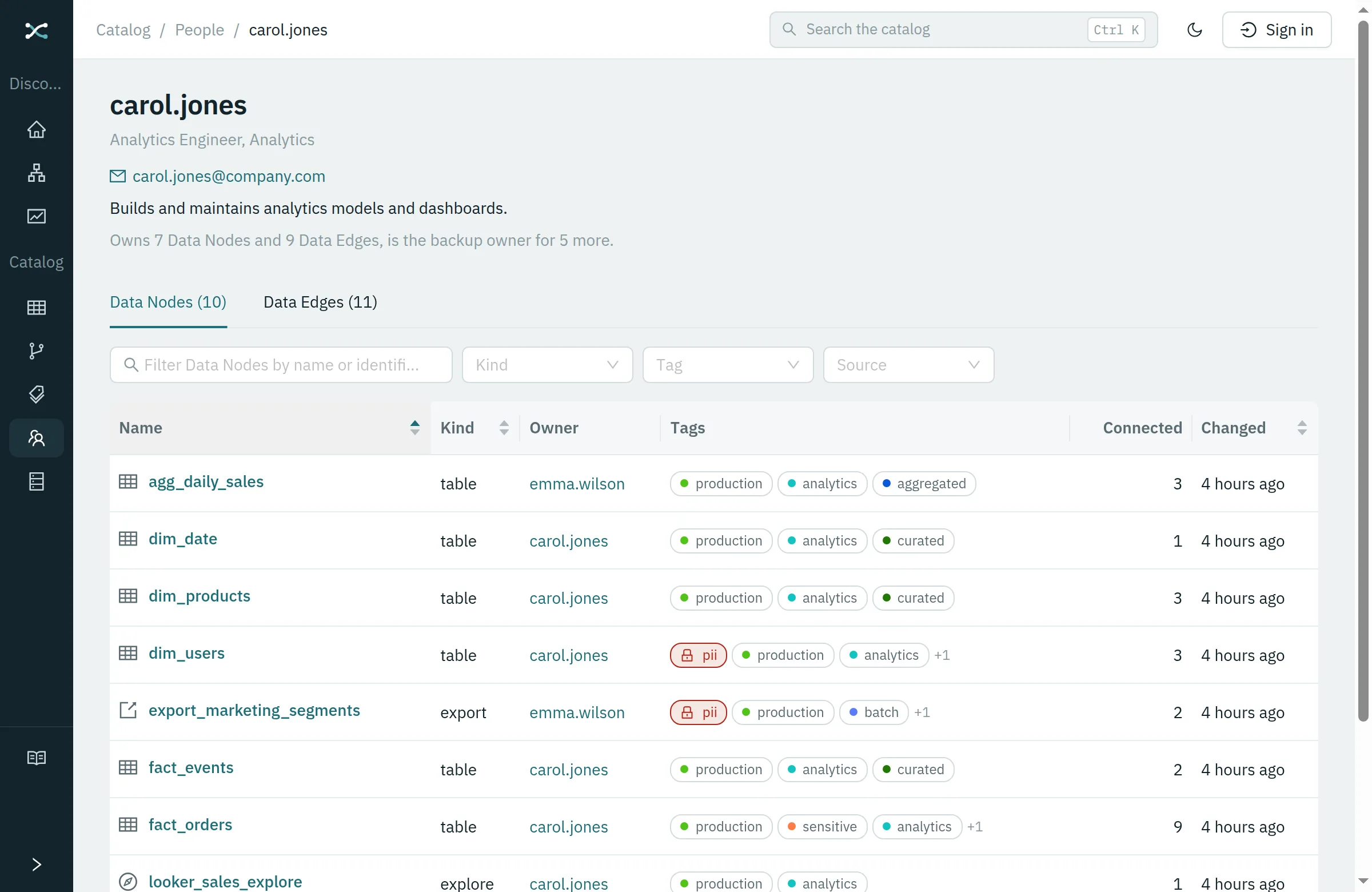
See what is missing
How complete the catalog is, in plain numbers: how much is owned, described, tagged and connected, each a link to exactly the assets that are not. Broken lineage and likely duplicates arrive as a to-do list rather than a surprise.
Open the demo's home page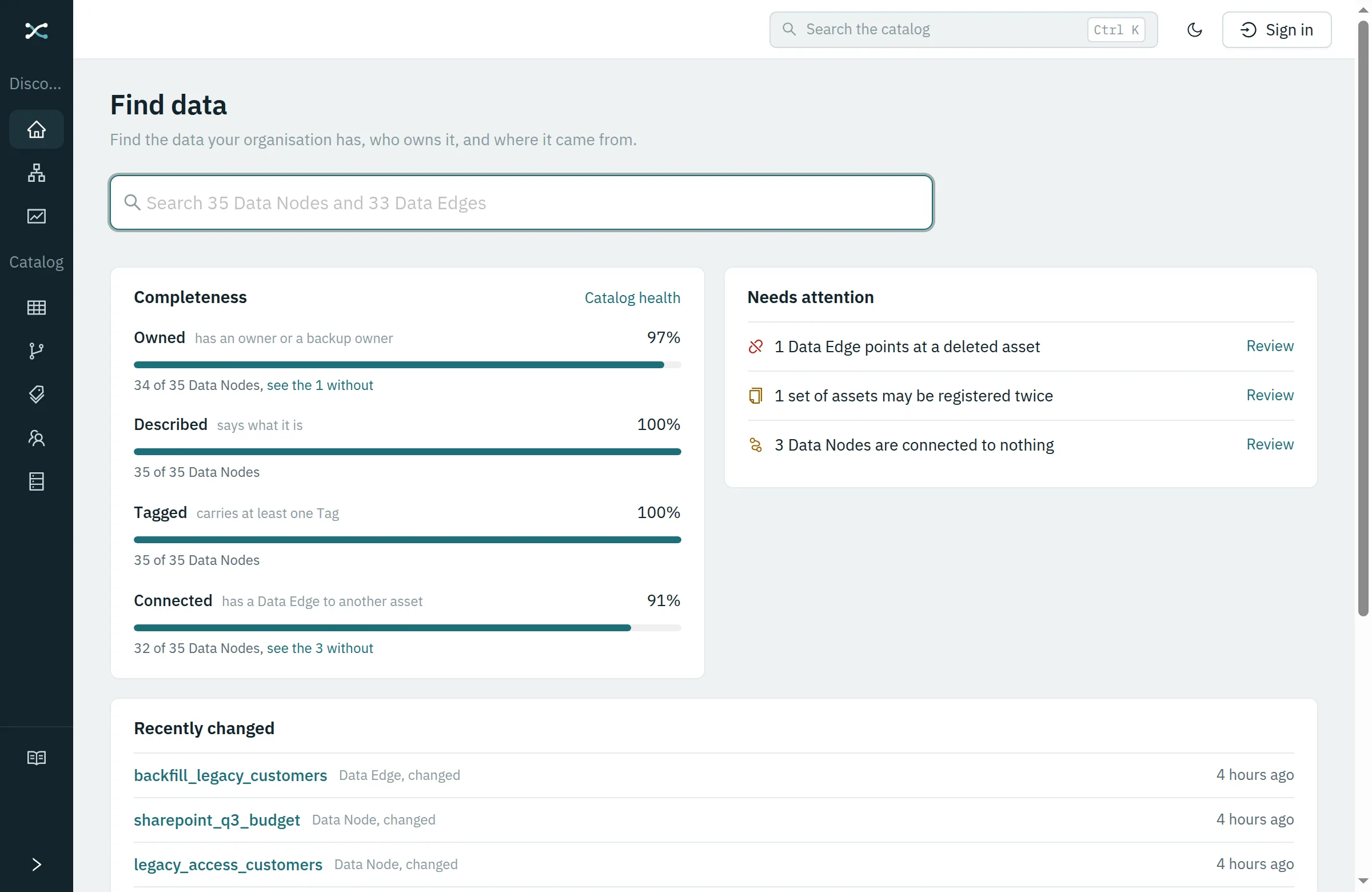
Keep control of it
Metadata is open so data can be found; changing it takes a Grant. Guard a Tag such as pii and only the people granted it can change what carries it, administrators included. Every change to who may do what is recorded.
See the guarded pii Tag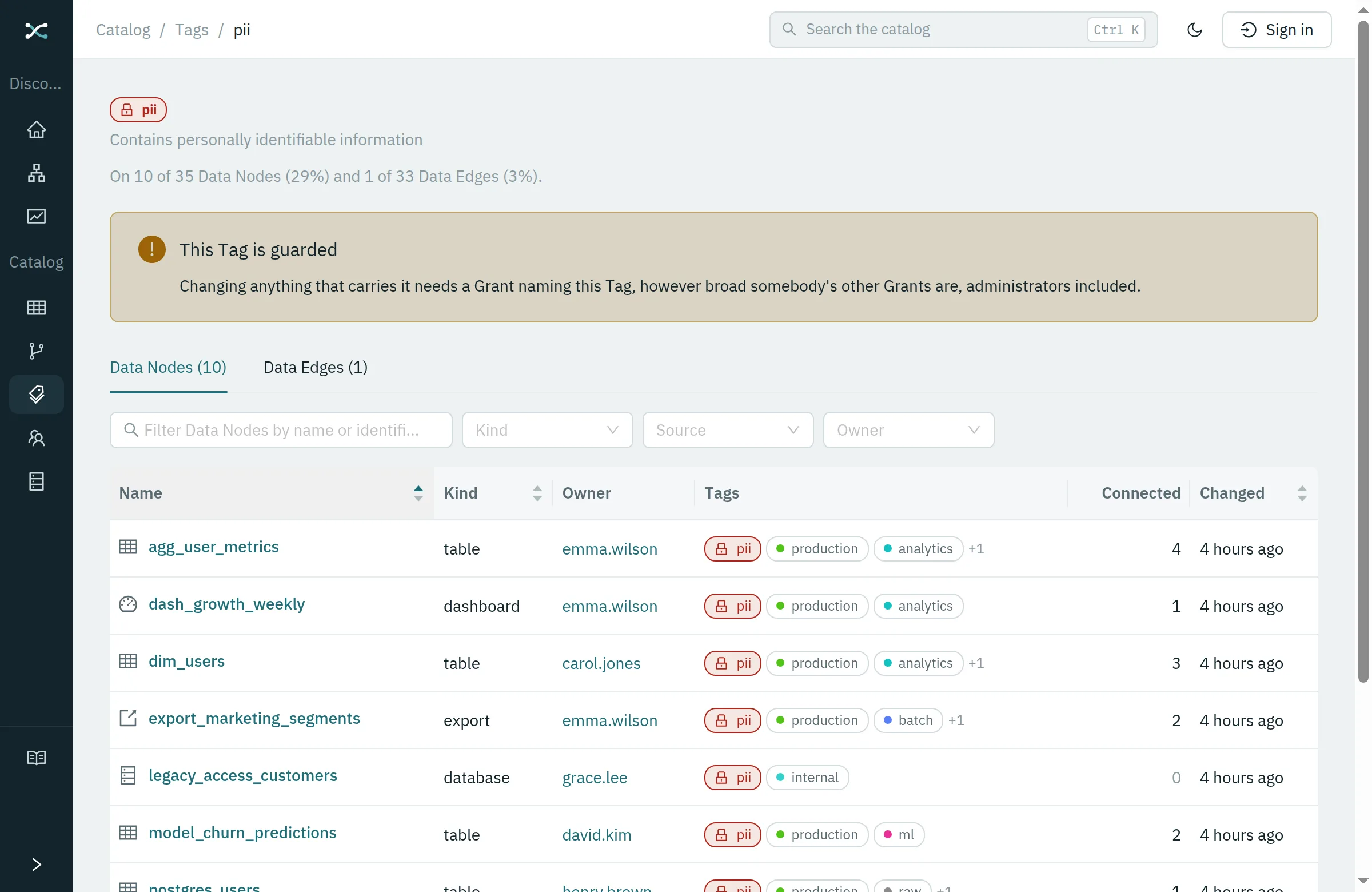
Ask it
Connect the assistant you already use, Claude, ChatGPT, Cursor or anything else that speaks MCP, and ask in a sentence what the pages above answer: what a table is, where a number came from, who owns it, what changed. The assistant signs in as you and sees exactly what you would, Grants and guarded Tags included. It reads; Linora itself calls no model and sends nothing anywhere.
Try it on the demo, no account needed: give your assistant the address https://demo.linora.noetic.no/mcp and ask it about the revenue dashboard.
YouWhere does the number on the revenue dashboard come from?
Assistantdash_revenue_overview, a Looker dashboard, is built by build_revenue_dashboard from agg_daily_sales, which aggregate_daily_sales rolls up from fact_orders. That joins dim_users, staged in Databricks from postgres_users, the Postgres application database where the chain starts: six steps across three platforms. Each step has an owner on its page. Want me to list them?
Usedsearch_catalog, trace_value_chain
Whatever platforms you run on
Fabric, Databricks, Snowflake, Power BI, a Postgres database or a spreadsheet on a shared drive: Linora is not tied to any of them, so one catalog can describe them all. There are three ways in, and they all end up in the same place.
Built-in connectors
Register a Postgres database and Linora reads its schemas, tables, views and columns on a schedule, and records which views are built from which tables. It reads the catalog, never a row of your data. More connectors are in the works, and our first customers' platforms come first.
The SDK and the API
For any platform without a connector yet: a typed Python client generated from your instance's own API, with more languages to come. Register assets and the jobs between them from a pipeline or a nightly script; re-running updates rather than duplicates.
By hand
The spreadsheet on a shared drive and the database a regional office still runs are data too. Forms for everything, so nothing needs a script to be known about, and anyone who knows an asset can describe it.
# Two tables, and the nightly job that builds one from the other.
upsert_data_nodes_batch.sync_detailed(client=client, body=DataNodeUpsertBatch(items=[
    DataNodeUpsert(source="databricks", external_id="prod.orders", title="orders", kind="table"),
    DataNodeUpsert(source="databricks", external_id="prod.daily_revenue", title="daily_revenue", kind="table"),
]))
upsert_data_edges_batch.sync_detailed(client=client, body=DataEdgeUpsertBatch(items=[
    DataEdgeUpsert(source="databricks", external_id="jobs.revenue_rollup", title="Nightly revenue rollup",
                   src=AssetIdentity(source="databricks", external_id="prod.orders"),
                   tgt=AssetIdentity(source="databricks", external_id="prod.daily_revenue")),
]))
One binary, not a platform to run
Most catalogs arrive as a cluster: a message broker, a search engine, a database, and somebody whose job is keeping all three alive. Linora is a single program with the database, the search index, the web interface and TLS inside it.
- Backups
- One file, snapshotted while it keeps serving.
- Upgrades
- Replace the binary and start it again.
- Sign-in
- Single sign-on with any OpenID Connect provider, with groups mapped from it.
- Access
- Grants to groups, guarded tags, API keys per group, and an audit of every change.
- Assistants
- Claude, ChatGPT, Cursor or anything that speaks MCP. Sign in once; the same permissions as in the browser.
- Your data
- Metadata only. The licence is checked on your machine; nothing phones home.
- Where
- On your own server, or hosted by us on an instance of your own.
See it with data in it
A catalog seeded to look like a company's: 35 assets from Postgres, Kafka, Databricks, Looker and a SharePoint spreadsheet, with owners, tags and lineage. Read-only, and open to anyone.
Try it with your own metadata
Linora is in early access. Ask for a pilot: an instance of your own, hosted by us, to fill from your own platforms, with a say in which connectors come next. Or a walkthrough of the demo, with the questions people in your organisation actually ask.